Jacopo UliviEthicAlgo Research · MultiCharts → MT5 infrastructure
Technical explanation
How the MultiCharts → MT5 copier works.
The copier is an execution bridge for traders who want to keep their strategy logic, research workflow and backtesting process inside MultiCharts, while using MetaTrader 5 only as the broker-side execution terminal.
The problem it solves
Many systematic traders build and validate strategies in MultiCharts because it is practical for PowerLanguage automation, portfolio testing, market-data workflows and robust strategy development. At the same time, many broker, CFD, prop-firm and Darwinex-style accounts use MetaTrader 5 as the practical execution endpoint.
Without a bridge, the usual solution is to rebuild the entire strategy in MQL5. That creates a second version of the same trading logic, increases maintenance risk and makes every future research update harder to control.
The operating idea
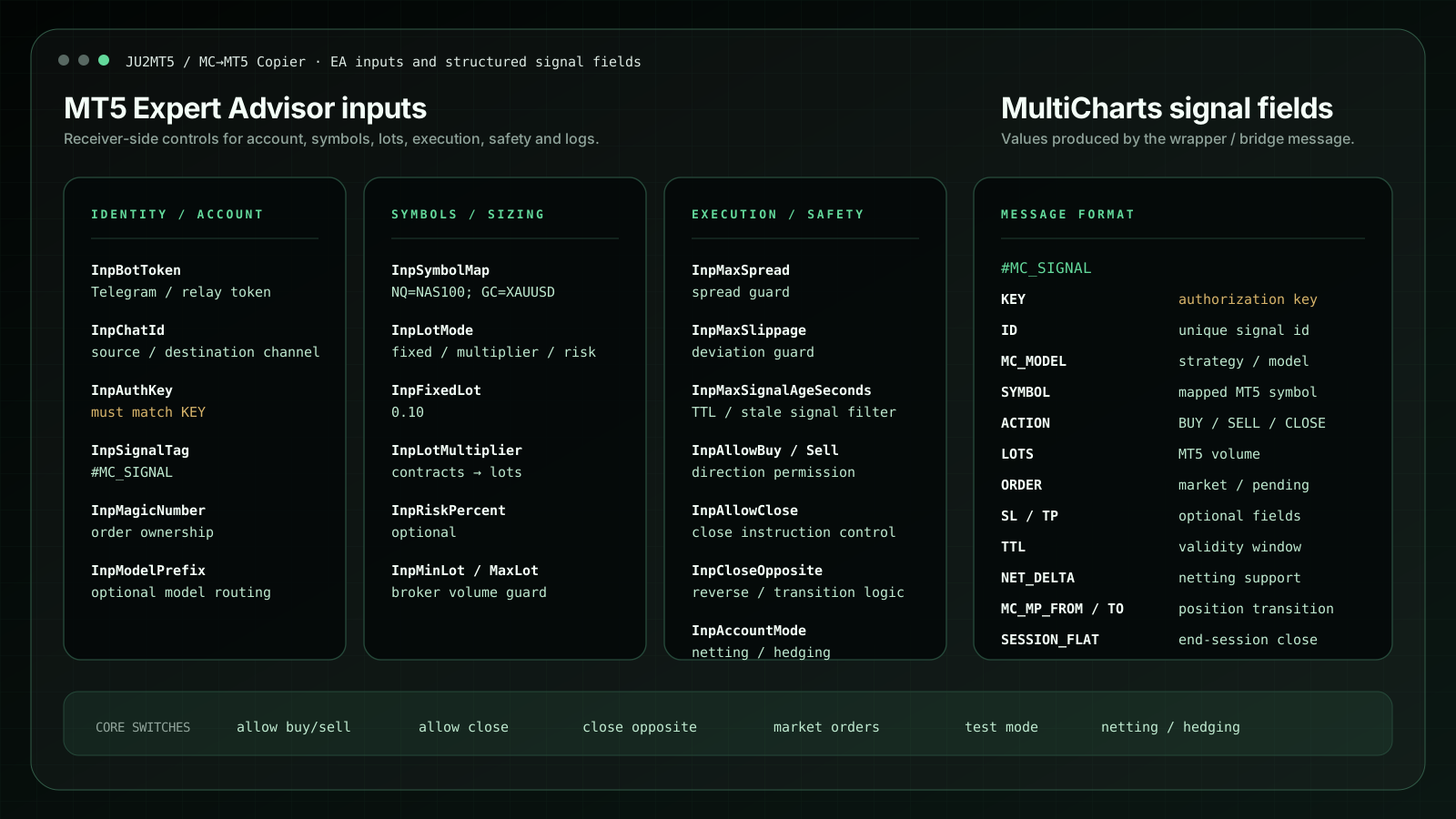
The approach is simple: MultiCharts remains the strategy engine. MT5 remains the execution endpoint. The copier sits between them and routes only structured execution instructions, such as model ID, symbol, action, lots, Magic Number, close/reverse behaviour and optional protection fields.
- MultiCharts side: the strategy or wrapper emits a structured trading signal.
- Bridge layer: the instruction is routed in a readable format so that the workflow can be checked and debugged.
- MT5 side: the Expert Advisor validates the instruction, maps the broker symbol, applies lot configuration and sends the order.
Why this can be cleaner than rewriting the strategy
The bridge separates research from execution. The tested model does not need to be duplicated inside MT5; MT5 receives a limited and traceable instruction. This makes the workflow easier to audit when several models, brokers, symbols or accounts are involved.
Practical controls such as account key, broker symbol, Magic Number, allowed actions, lot conversion, spread guard, slippage guard, netting/hedging mode, duplicate protection and logs are exposed because these details matter in real execution.
Where it is useful
This setup is most useful when a trader already has a working MultiCharts strategy environment and needs a controlled MT5 route for personal broker accounts, CFD accounts, prop-style accounts, multiple terminals, Darwinex-style workflows or technical demonstrations.
It should be evaluated as execution infrastructure, not as a trading system. It does not create alpha, improve a weak strategy or remove market, broker, spread, latency or slippage risk. It simply provides a controlled route from a MultiCharts signal environment to an MT5 execution terminal.
Important: the copier is technical infrastructure and educational/software material. It is not investment advice, it does not guarantee execution quality and it does not promise future trading performance.